If you’ve been using Codex as a quick fix for one-off code snippets or isolated tasks, you’re barely scratching its surface. Most users waste hours re-explaining project context, rehashing past decisions, and starting fresh with every new session—missing out on Codex’s true power as a scalable, long-term work partner. The key to unlocking its full potential lies in shifting your mindset: instead of a disposable tool, treat Codex as a permanent resident in your work environment, integrated into a continuous, iterative workflow where you handle strategy and critical judgment, and Codex drives incremental, repeatable tasks.
Shift Your Codex Mindset From One-Time Helper to Resident Assistant
For most teams, Codex is a fleeting resource: a session starts, a task is completed, and all context, reasoning, and history vanishes when the chat ends. This approach forces you to reorient Codex with every request, wasting valuable time on redundant background explanations. Instead, imagine Codex as a dedicated team member that stays with your project for days, weeks, or even months. It can run unattended, perform regular check-ins, and only flag critical decisions or ambiguous scenarios for your input. This shift turns Codex from a reactive tool into a proactive, context-aware assistant that grows with your work.
Build a Complete Codex Run Cycle
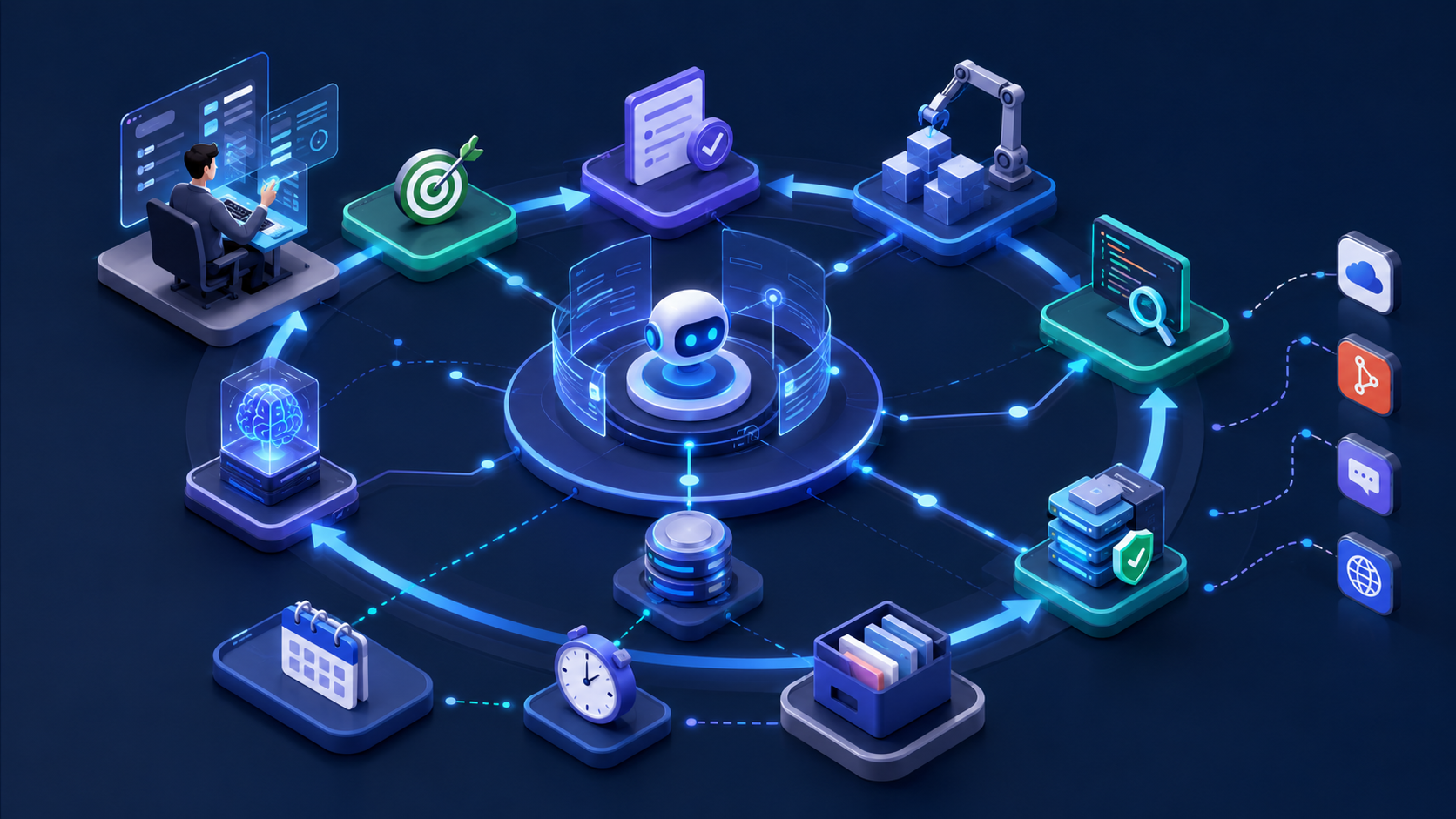
To turn this mindset into action, you need a structured, self-sustaining run cycle that keeps Codex aligned with your project goals. Here’s how to implement it:
- Input clear project goals and full contextual details, including access to source code, local files, and past decision logs.
- Codex parses available resources to understand the current state of the project and identify next steps.
- Execute tasks like code edits, data queries, or report generation based on its analysis.
- You review outputs—code diffs, progress reports, or task summaries—to validate accuracy and alignment with goals.
- Codex iterates on its work based on your feedback, refining outputs until they meet standards.
- Archive reusable knowledge, like successful workflows or coding patterns, into a shared storage system.
- Encapsulate high-frequency tasks into automated workflows to reduce manual repetition.
In this cycle, your role evolves from hands-on executor to goal setter, boundary definer, decision-maker, and final approver. Codex handles the heavy lifting of incremental work, freeing you to focus on high-impact strategic choices.
Manage Long-Term Work With Persistent Threads
Temporary sessions are fine for quick questions, but long-term projects require continuity. Create dedicated persistent threads for your most critical workstreams, such as:
- A thread for maintaining a specific codebase
- A daily product report thread that updates automatically
- A client delivery project thread that tracks milestones and feedback
Each thread acts as a cohesive workflow, preserving the full history of reasoning, decisions, and task progress. Avoid overusing persistent threads—reserve them only for tasks that require uninterrupted context. For smaller, isolated tasks, use temporary sessions to keep your workspace organized.

Set Up a Layered Shared Storage System
Persistent threads alone aren’t enough to maintain full context across long projects. Complement them with a four-layer storage system to capture and organize critical information:
- AGENTS.md: Stores immutable rules like project folder structures, coding standards, and non-negotiable workflows that never change.
- Vault (Git-based repository): Tracks evolving project status updates, decision logs, and versioned artifacts, enabling full audit trails and easy rollbacks.
- Memories: Saves personal preferences, frequently used workflows, and context-specific shortcuts tailored to your unique work style.
- Chronicle: Captures real-time screen context for seamless task handoff, with a toggle to pause functionality when handling sensitive or confidential content.
Let Codex Verify Real Execution Results
A common pitfall is trusting Codex’s self-reported task completion without verifying real-world outcomes. Close the loop by enabling Codex to access tools that validate actual results:
- Browser: For local development environments and public web pages that don’t require authentication.
- Chrome Extension: For authenticated platforms like Gmail, Salesforce, or internal dashboards.
- Computer Use: For native desktop applications like Xcode Simulator, WeChat, or design tools.
This ensures Codex doesn’t just generate output—it confirms that its work functions as intended in the real world.
Integrate External Systems via MCP and Connectors
To create an end-to-end workflow, connect Codex to your existing tools using MCP (Model Context Protocol) and dedicated connectors. This lets Codex interact with services like GitHub, Slack, Jira, and more, enabling seamless task execution:
For example, a team member could request a code review in Slack, tag Codex, and have it automatically pull the latest PR, run static analysis, and share a summary back in the channel. To maintain security, follow these rules:
- Only enable connectors for tools you actively use.
- Require human approval for high-risk actions like merging code or deploying changes.
- Disable automatic submissions for sensitive backend systems to prevent accidental data leaks.
Solidify Repeatable Workflows Into Reusable Skills
If you find yourself explaining the same workflow to Codex three or more times, it’s time to turn it into a reusable Skill. A Skill is a standardized, encapsulated workflow that includes trigger conditions, input parameters, and step-by-step execution instructions.
Examples of tasks perfect for Skill encapsulation include:
- Generating daily performance reports
- Running code review checklists
- Breaking down PRDs into actionable development tasks
For individuals, Skills reduce the need for repetitive prompts; for teams, they create a shared knowledge base that avoids silos of personal workflow habits.
Automate Tasks With Scheduled Heartbeat Mechanisms
Take your workflow to the next level by setting up automated, scheduled tasks that run at predefined intervals. There are two types of automation to implement:
- Thread Automation: Ties to a persistent thread, retaining context to track long-term projects (e.g., daily code change summaries, hourly PR comment monitoring).
- Independent Automation: Runs isolated audits or tasks and outputs results to a centralized location (e.g., weekly project risk assessments).
Before launching any automation, manually validate the logic to ensure accuracy. Run code-based automation in an isolated environment and limit the permissions of background processes to minimize security risks.
Enable Collaboration and Remote Management via Mobile and Slack
Keep your workflow flexible by integrating Codex with mobile devices and Slack:
- Mobile Codex: Use the mobile app for remote monitoring, approving critical tasks, or providing quick feedback. Reserve heavy execution tasks for desktop or cloud environments to ensure performance.
- Slack Integration: Allow team members to directly @Codex in chat to request help. Standardize request formats to include core goals, relevant code repositories, and any constraints or limitations to ensure accurate results.
Define Clear, Verifiable Long-Term Task Goals
Vague goals like “improve the codebase” will derail long-term Codex workflows. Instead, set specific, measurable targets with clear validation nodes. For example:
“Migrate the payment processing library to v2.0 and ensure all existing unit tests pass, with a code review approval from the senior engineering team.”
Bind long-term tasks to objective validation mechanisms like automated test suites, code review checklists, or service health metrics. This gives Codex a clear roadmap to follow and ensures you can easily verify when a task is complete.
By shifting from a one-time helper mindset to building a continuous, resident work ecosystem for Codex, you transform it from a reactive tool into a proactive partner. This approach reduces repetitive work, eliminates context loss, and frees you to focus on the strategic decisions that drive your projects forward. With the right structure, storage, and automation, Codex becomes an extension of your team—one that scales with your work and adapts to your evolving needs.